


I'm a young student from Germany who loves to program and also builds in the physical world from time to time. This project is the first time I ever worked on PCB design and produced a (serious) CAD model.
When I found out about Blueprint I had already built an Arduino-based prototype of the idea that soon became this project. With the knollage of the requirements that I needed from this adventure I got to designing the DPDIM V1. (The first thing being finding some stupid acronym)
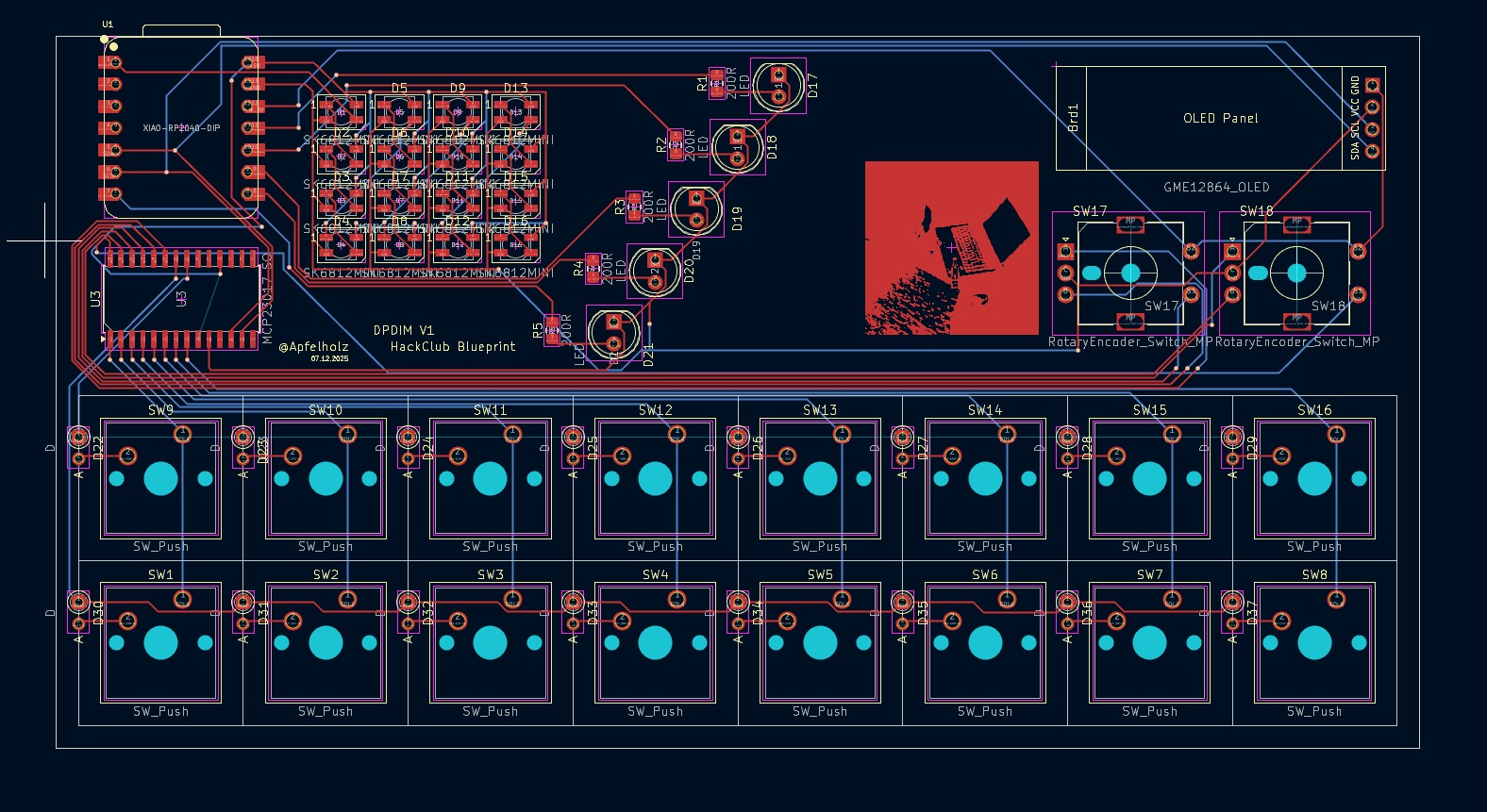
DPDIM is a 16-key micropad with a 4x4 RGB LED matrix, five status LEDs, an OLED display and two rotary encoders. It is based on the Seeed XIAO RP2040 and misuses KMK for the firmware.
- 16 keys for custom functionality
- 4x4 WS2812B RGB LED matrix as a simple and bright display option
- 128x32 OLED display
- 2 EC11 rotary encoders to get even more input options
- 5 status LEDs to get myself to do my work...
The model includes a cutout for the USB and I2C connection in the back as well as a big one at the top to show some of the inside and the LED matrix. In the top plate there are also two decorative channels and the descriptions of the status LEDs. The keys are placed at the bottom for easy access when placed over the mouse on the desk.
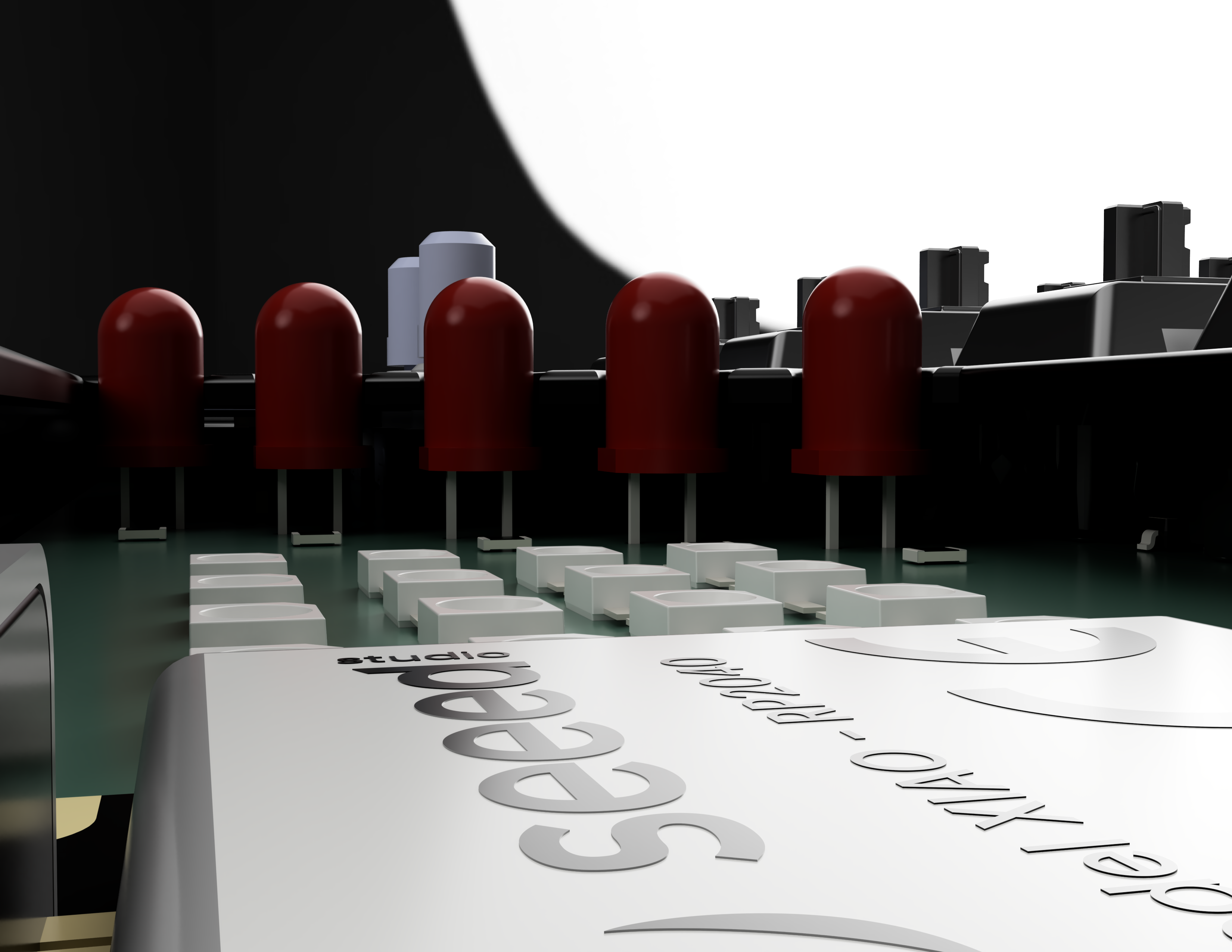
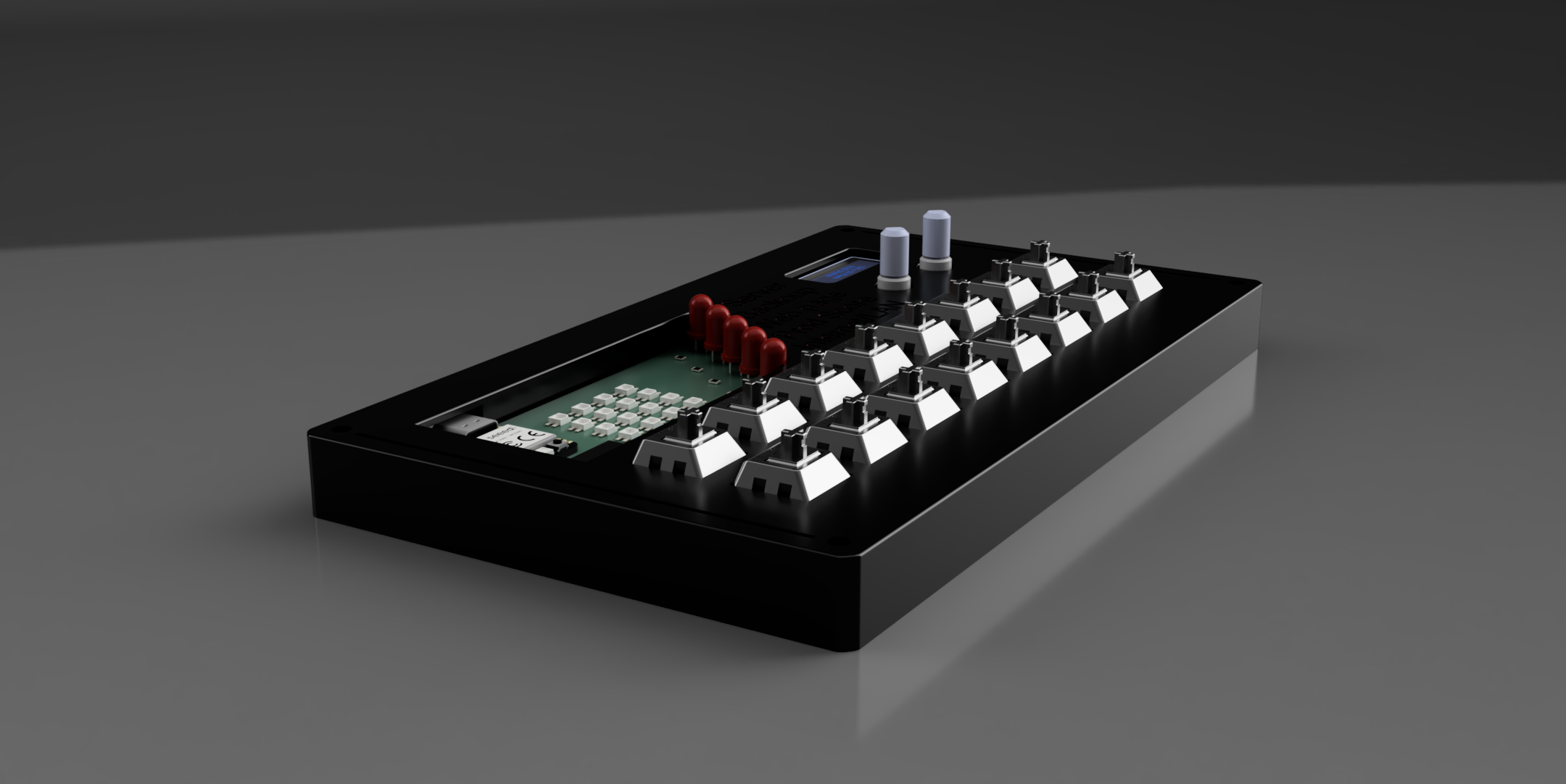
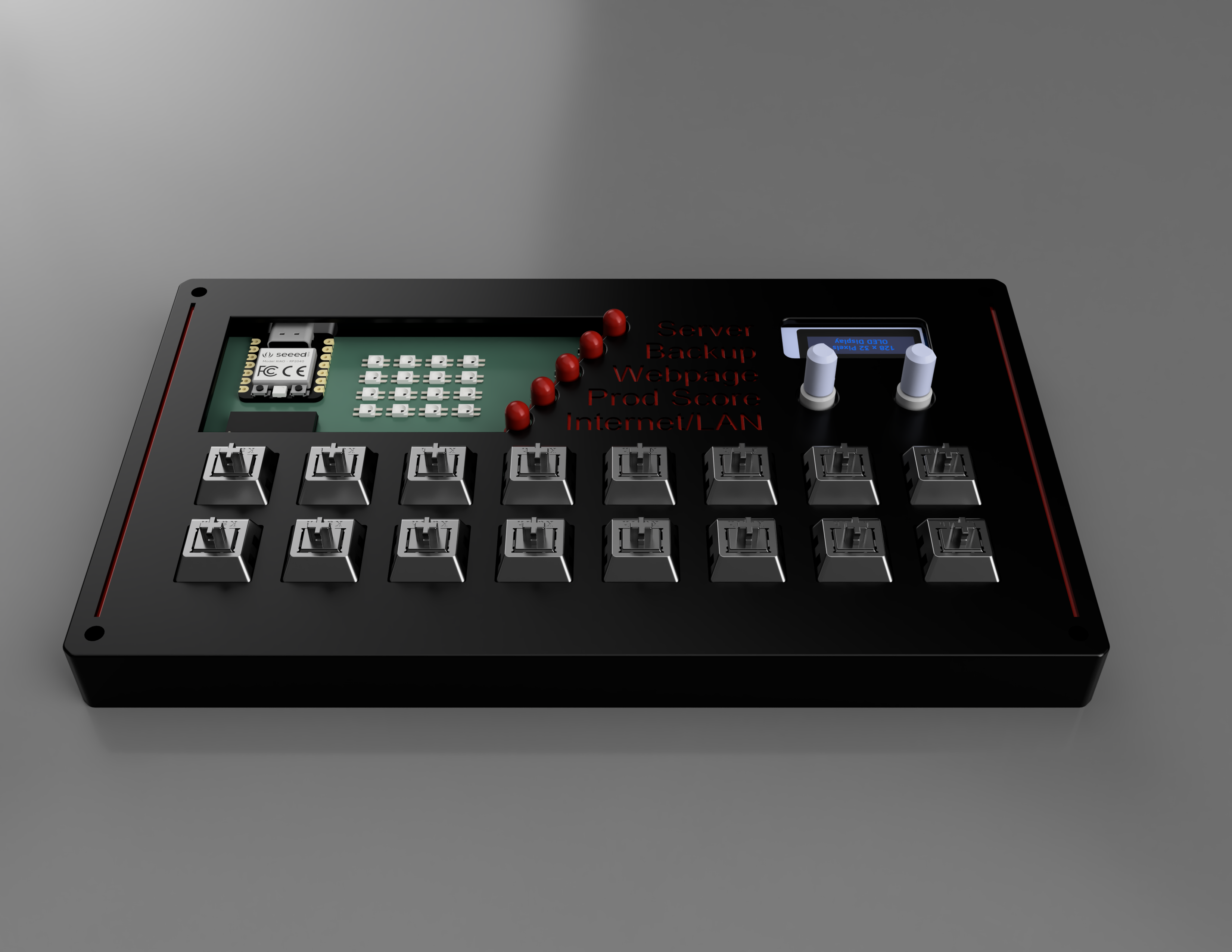
The model has been made in Fusion 360 after Onshape did collapse on me.
The PCB design I did in KiCad while learning the software on the fly. The silkscreen picture is an experiment I don't expect to work but took the chance to test.
Schematic:
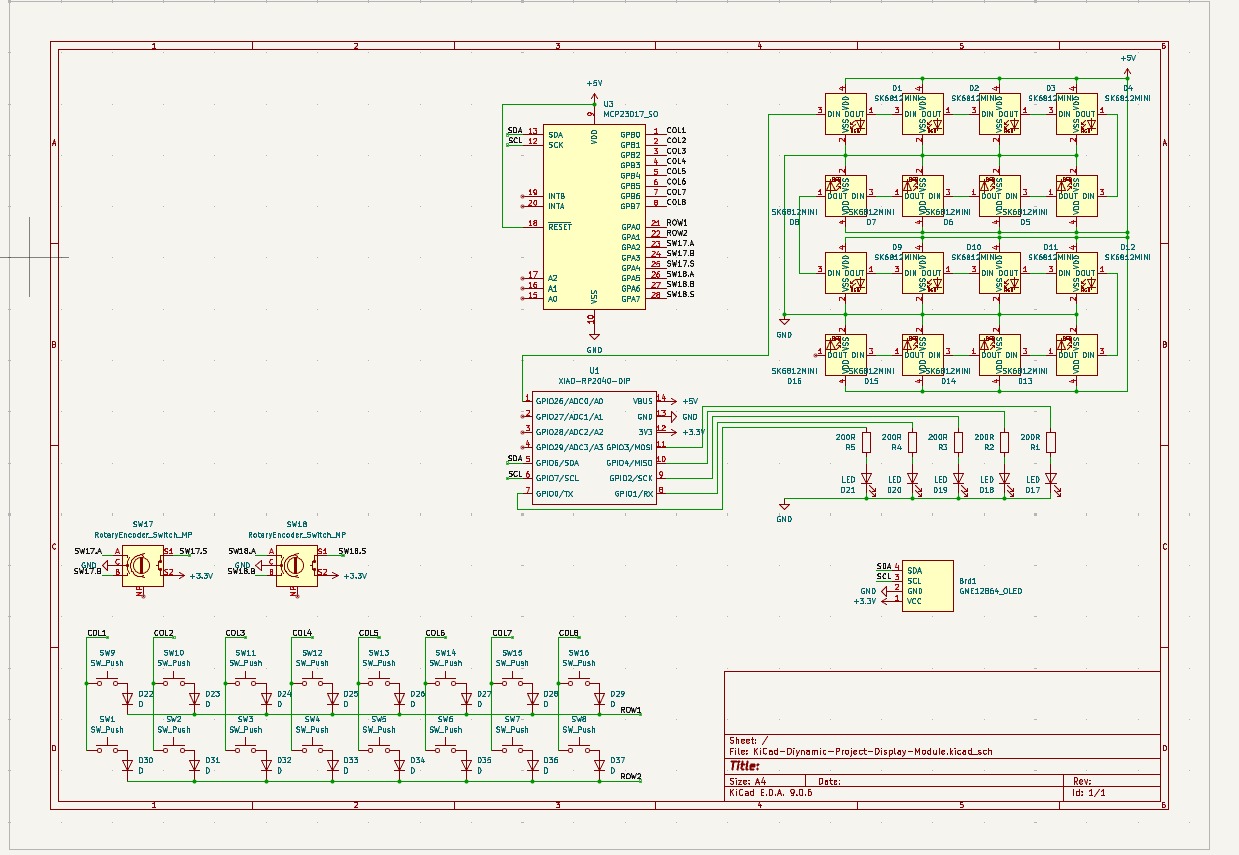
PCB:
The firmware implements a JSON API that is able to be controlled from the PC. As I don't have the pad yet it is untested.
The exact API layout:
Control individual status LEDs.
Command:
{
"type": "led",
"index": 0,
"value": true
}}Parameters:
type(string):"led"index(integer): LED indexvalue(boolean):true= ON,false= OFF
Command:
{
"type": "rgb",
"index": 5,
"r": 255,
"g": 128,
"b": 0
}}Parameters:
type(string):"rgb"index(integer): Pixel indexr(integer)g(integer)b(integer)
Command:
{
"type": "rgb_all",
"r": 255,
"g": 0,
"b": 0
}}Parameters:
type(string):"rgb_all"r(integer)g(integer)b(integer)
Command:
{
"type": "oled",
"line": 0,
"text": "Hello World"
}}Parameters:
type(string):"oled"line(integer): Line indextext(string)
Command:
{
"type": "oled_clear"
}}Parameters:
type(string):"oled_clear"
Message:
{
"type": "key",
"row": 0,
"col": 5,
"state": "press"
}}Fields:
type(string):"key"row(integer): Row index (0-1)col(integer): Column index (0-8)state(string):"press"or"release"
Message:
{
"type": "encoder",
"id": 0,
"delta": 1
}}Fields:
type(string):"encoder"id(integer)delta(integer): Direction:1= clockwise,-1= counter-clockwise
Message:
{
"type": "encoder_btn",
"id": 0,
"state": "press"
}}Fields:
type(string):"encoder_btn"id(integer)state(string):"press"or"release"
Sent when a command is successfully executed.
Format:
{
"type": "ack",
"cmd": "led"
}}Fields:
type(string):"ack"cmd(string): The command type that was executed
Sent when a command fails.
Format:
{
"type": "err",
"cmd": "rgb",
"reason": "bad_args"
}}Fields:
type(string):"err"cmd(string): The command type that failedreason(string): Error reason:"json"- JSON parsing error"bad_args"- Invalid arguments or out-of-range values"unknown_cmd"- Unknown command type
In BOM.csv