
PicoDucky Version 2.0 is a minimalist, USB-stick-style RP2350 board designed for use as a security key or rubber ducky.
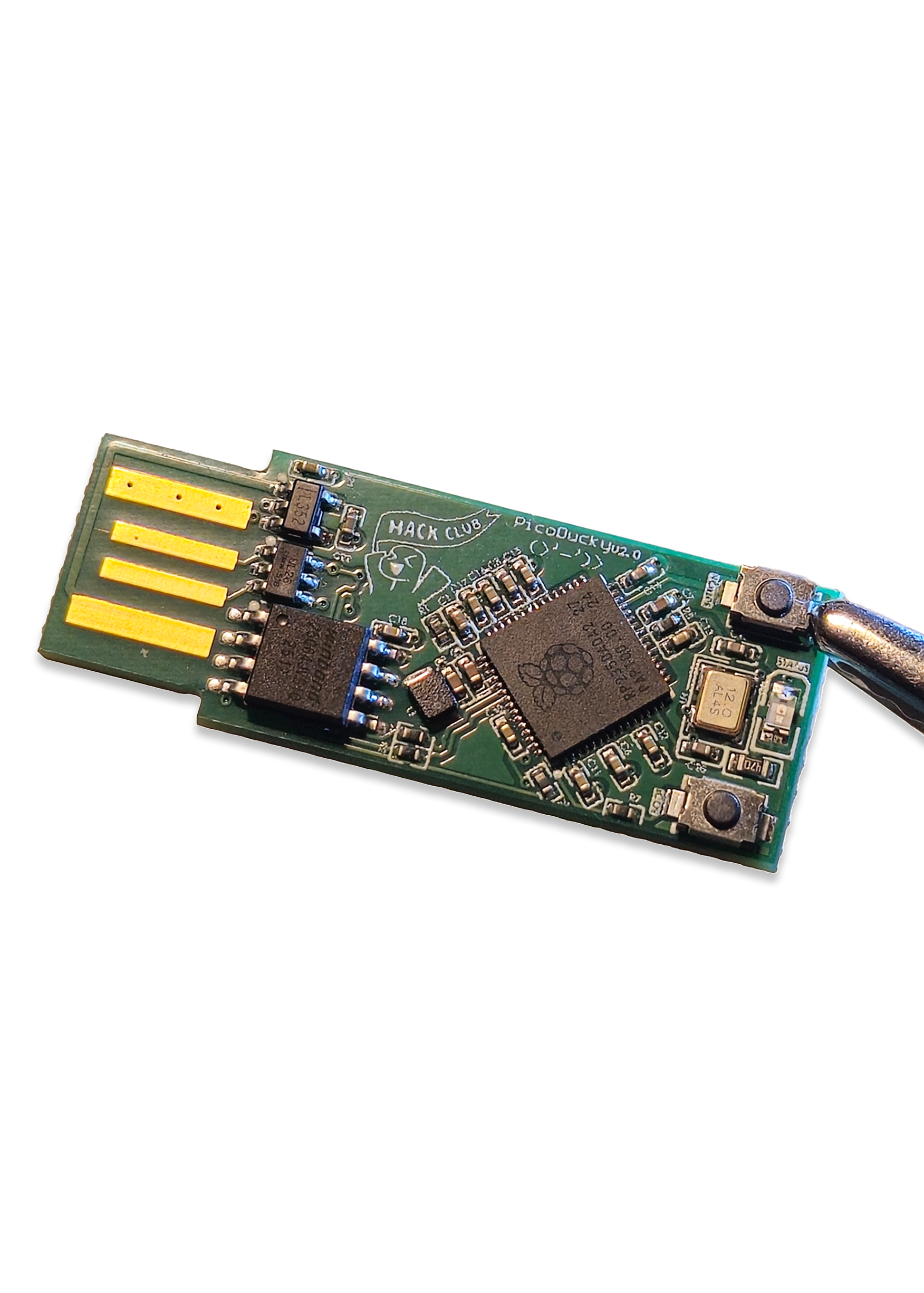
All source files for this board are located in /src/V2.0.
h1aQzfN.mp4
pico.mp4
- RP2350 Microcontroller
- Plug-and-play USB-A form factor
- Compact size
- 1 programmable button
- 2 programmable RGB LEDs
- HID device capability
- Security key functionality


- Hold the
BOOTbutton while plugging in the board - Download and drag-and-drop the
.uf2file from CircuitPython - Press the
RESETbutton or replug the USB cable - Download the Adafruit CircuitPython bundle from here
- Extract the bundle and locate the
adafruit-hidfolder inside thelibdirectory - Copy the
adafruit-hidfolder to the CIRCUITPYlibdirectory - Open
code.pyand write your own code or copy the demo code from./code/code.py - You're all set!
- Visit the PicoFIDO getting started page
- Download the Pico FIDO firmware for PicoDucky V2
- Hold the
BOOTbutton while plugging the board into your computer - Drag-and-drop the downloaded
.uf2file onto the device that appears - Unplug and replug the USB to reboot the board
- Visit the Pico Commissioner to commission your security key
When ordering through JLCPCB, several configurations are available with varying costs depending on component selection and assembly requirements. Pricing below assumes ordering 5 PCBs with 2 assembled.
Not bad, but not the best option
- 1.6mm board thickness
- Green color
- HASL (leaded/lead-free)
Cost: ~$40
- 2.0mm board thickness
- HASL (leaded/lead-free)
Cost: ~$100
Recommended
- 2.0mm thickness
- Black color (or your preference)
- ENIG finish
Cost: ~$150
If you choose the cheapest option for experimentation, you'll need to make adjustments to ensure proper USB port fit. The 1.6mm thickness may cause the board to slip out of USB ports. Solutions include:
- Adding masking tape layers to increase thickness
- 3D printing a spacer to reach 2.0-2.2mm height
A 2.0mm thickness ensures the board stays securely in USB ports.
Experimental Idea: You could order 1.0mm thick boards (same cost as 1.6mm) and glue them together to achieve 2.0mm thickness. I have not personally tested this yet.